How to disinfect ultrasound machines without damaging surfaces
Disinfect ultrasound machines by removing visible soil first, then applying a disinfectant approved for the specific surface and keeping it wet for the product’s full labeled contact time. Control where the liquid goes: use the application method permitted by the equipment manufacturer, prevent pooling around seams, and keep moisture away from electrical openings. A product suitable for a transducer housing is not automatically suitable for the touchscreen, cable, or connector.
The console and the transducer also require separate decisions. Console surfaces generally receive cleaning and surface disinfection. Transducer reprocessing depends on the tissue contacted during the examination, the probe design, and its validated instructions. Treating the whole machine as one washable object creates both infection-control gaps and avoidable equipment damage.
Match the disinfectant to the exact component
Start with the current cleaning and disinfection instructions for the ultrasound system and each connected transducer. Identify the approved cleaning agents, disinfectants, application methods, and restrictions. The relevant match includes the product formulation, concentration, exposure conditions, and component—not simply the active ingredient.
Two wipes containing the same disinfecting ingredient can have different solvents, detergents, or other additives. Those differences affect plastics, coatings, adhesives, and elastomers. Likewise, approval for a probe’s acoustic lens does not establish compatibility with the cable jacket or strain relief.
The disinfectant label and device instructions must work together. The label establishes antimicrobial claims, preparation requirements, and wet contact time. The device instructions establish material compatibility and handling limits. If the labeled disinfection process cannot be completed within the equipment’s permitted exposure conditions, select another validated option rather than shortening contact time or extending exposure without approval.
Alcohol, chlorine-based agents, peroxide formulations, and quaternary ammonium compounds are neither universally suitable nor universally prohibited. Their acceptability changes with the formulation and surface. A familiar hospital disinfectant still needs component-specific approval.
Remove gel and soil before starting the disinfection clock
Ultrasound gel, skin oils, and biological material interfere with reliable surface treatment. Wiping disinfectant over a thick gel layer spreads contamination and makes complete wetting difficult. Remove bulk gel promptly with a soft, nonabrasive disposable material, taking care around the acoustic lens and probe seams.
Prepare the equipment as its instructions require, including shutdown and disconnection from power where specified. Wear the protective equipment required by the chemical label and the contamination present. Position the machine so that cleaning does not pull cables taut or leave connectors resting on a wet surface.
- Remove visible contamination. Lift off gel and other deposits without scraping. Use the approved cleaner to loosen remaining soil; abrasive pads and improvised tools can scratch lenses and displays.
- Work across accessible surfaces with fresh cleaning material as it becomes soiled. Include probe holders, handles, control surfaces, and cable sections touched during the examination.
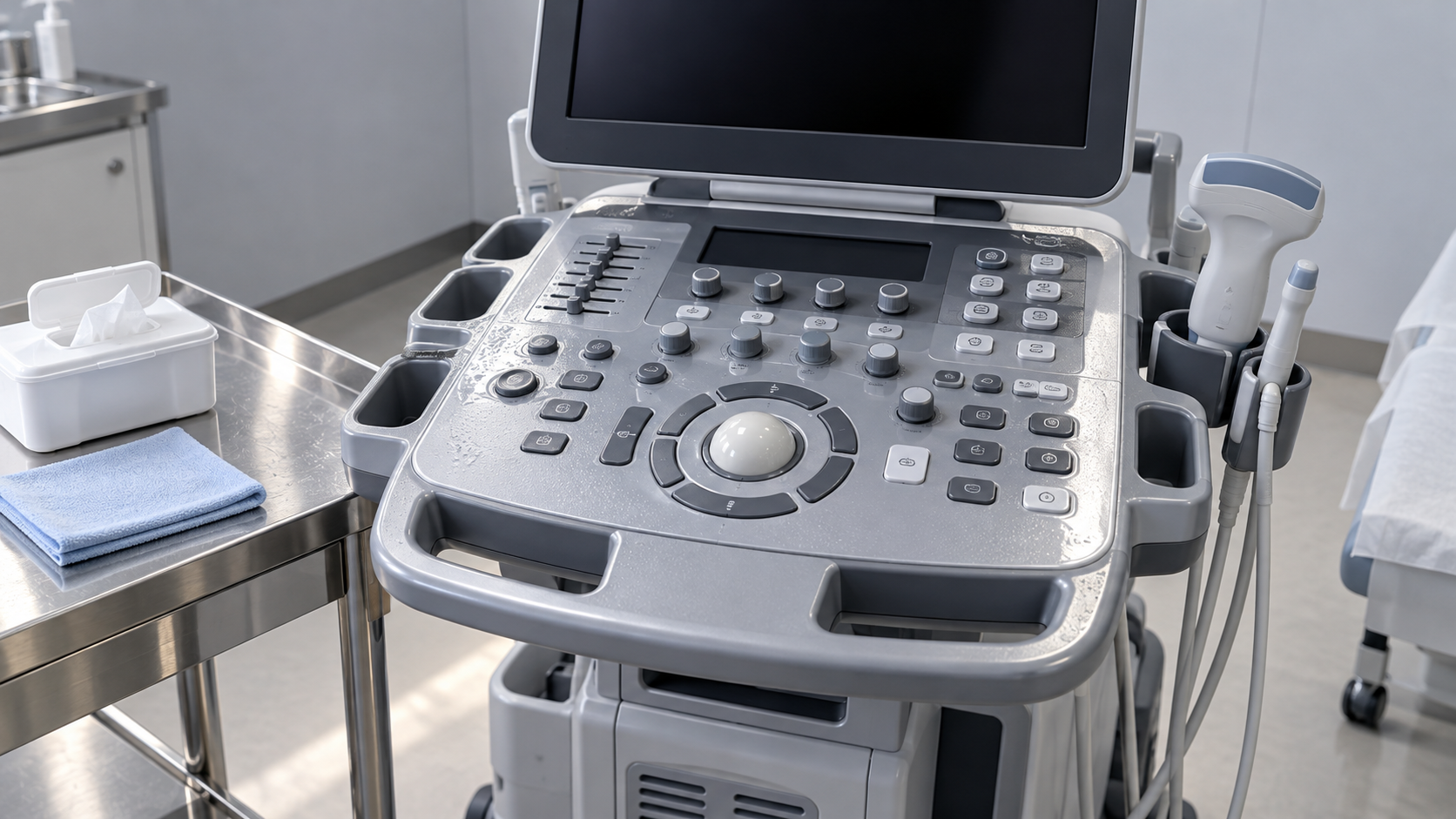
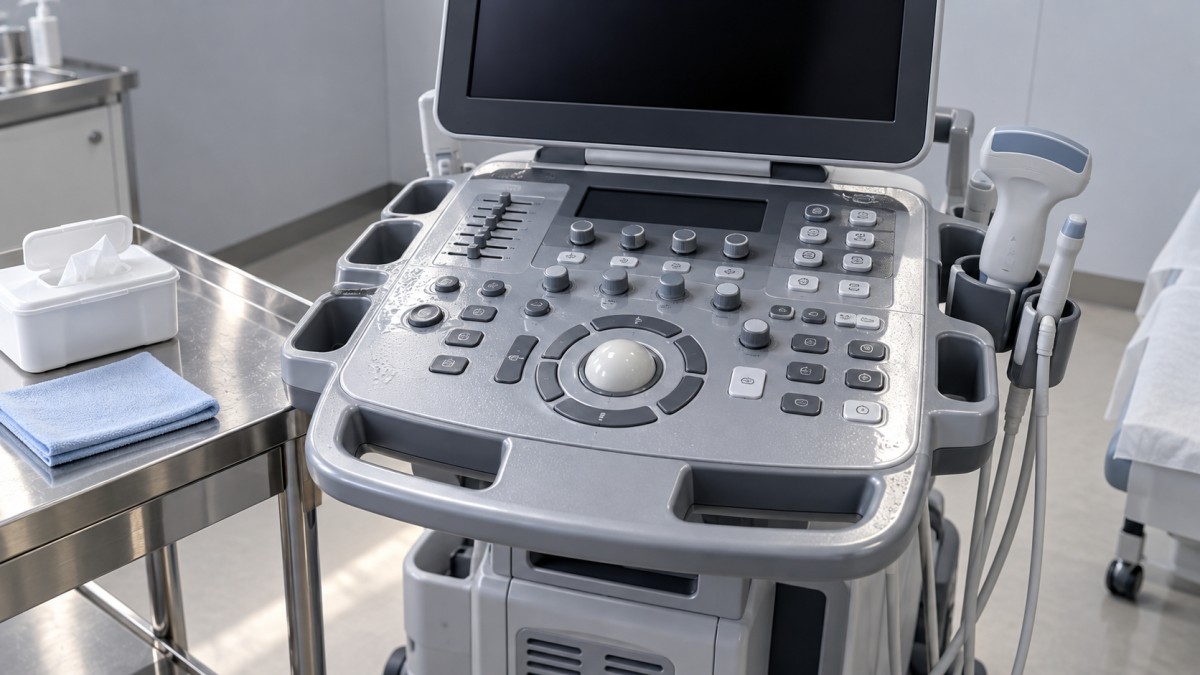
- Address joints without flooding them. Clean around buttons, the trackball, and housing edges using the permitted method. Do not push a saturated cloth into openings.
- Remove cleaning-agent residue when the device instructions require it, then leave the surface in the condition specified for disinfection. Residual cleaning liquid can dilute the disinfectant.
A combined cleaner-disinfectant can simplify the process when its label and the device instructions support that use. It does not eliminate preliminary removal of heavy soil, and its directions may require separate applications for cleaning and disinfection. Begin timing only when the prepared surface has been fully wetted with disinfectant as directed.
Maintain wet contact time without soaking the machine
The contact time is the period during which the treated surface must remain visibly wet under the disinfectant’s labeled conditions. Finishing a wipe across the control panel does not mean that disinfection is complete. If the surface dries prematurely, the process has not met that condition.
Use an approved premoistened wipe or apply solution to a cloth when that method is permitted. Do not spray directly onto the machine unless its instructions explicitly allow it. Direct spraying makes it difficult to control droplets around display edges, ports, keyboard gaps, and ventilation openings.
Wipe a manageable area and observe whether it remains wet. Large consoles often need more than one wipe because the material loses liquid as it travels across the surface. Reapply according to the product directions, without creating puddles or exceeding the equipment’s exposure limits. If early drying occurs, follow the label’s instructions for achieving a complete wet contact interval.
There is no universal contact time for ultrasound equipment. Use the time associated with the selected product and the required antimicrobial claim. Different claims on the same label can have different conditions. A shorter advertised time should not be substituted unless it applies to the intended disinfection task.
If a compatible product consistently dries before its required contact time, reassess the application method and product choice. Increasing the volume until liquid runs into seams is not an acceptable fix. Another manufacturer-approved formulation or wipe format may provide a workable process.
After the required interval, follow the instructions for air drying, residue removal, or rinsing. Do not immediately buff the surface dry to remove streaks. Where residue removal is required, use the specified method only after completing disinfection, and avoid recontaminating the treated surface.
Give transducers their own reprocessing route
A disinfected console does not establish that its connected probe is ready for another examination. Probe reprocessing must account for intended use and the tissue contacted. The probe’s instructions also determine which methods it tolerates and which sections can be immersed.
External contact with intact skin
Probes used only on intact skin generally require cleaning followed by low-level disinfection between patients, consistent with the device instructions and applicable infection-prevention procedures. Remove gel from the lens, housing, and any contaminated cable sections. Cleaning only the patient-contact face leaves contamination on surfaces subsequently handled during scanning.
Blood, damaged skin, or a change in procedure requires reassessment of the reprocessing route. Do not assume the routine intact-skin workflow covers every examination performed with the same probe.
Mucous membranes and sterile tissue
Endocavitary probes that contact mucous membranes require cleaning followed by high-level disinfection between uses, even when a probe cover was used. Covers reduce contamination but can leak or become contaminated during removal. They do not replace the required reprocessing.
Probes entering sterile tissue require sterilization according to their validated instructions and the procedure’s requirements. If a probe cannot tolerate the required process, resolve the device and procedural requirements before reuse; a stronger surface wipe does not bridge that gap.
For immersion or automated processing, observe the exact permitted immersion boundary. The connector, cable, and probe body can have different restrictions. Complete any required rinsing and drying using the specified water quality and method. Residual chemistry on a patient-contact surface is a separate concern from visible cleanliness.
Needle guides and other reusable accessories need their own validated reprocessing procedures. Clean-looking attachment grooves can retain material, and an accessory’s permitted treatment cannot be inferred from the probe to which it attaches.
Protect surfaces that fail gradually
Chemical damage often develops through repeated exposure rather than one obvious incident. A touchscreen that becomes cloudy, a cable that feels tacky, or a housing that loses its finish deserves attention. These changes can indicate residue, material degradation, or both; adding more disinfectant does not distinguish them.
For displays, use the specified soft cloth and avoid abrasive wiping. Remove visible particles before rubbing the surface, since trapped debris can scratch a coating. Persistent streaking should prompt review of the approved residue-removal procedure, not experimentation with household glass cleaner.
Support probe cables while wiping along their length. Pulling a cloth tightly around a suspended cable transfers force to its connections and strain reliefs. Do not wind cables tightly for storage or leave them where wheels can roll over them. Mechanical damage creates defects that cleaning chemicals can subsequently aggravate.
Probe holders also deserve inspection. Dried gel inside a holder can contaminate a processed probe or abrade its housing. Remove detachable holders only as instructed, clean their recesses, and allow them to dry before replacement. Keep processed probes separated from used equipment throughout drying and storage.
Respond to damage, spills, and uncertain compatibility
If liquid enters a port, vent, or connector, stop using the equipment and follow the manufacturer’s spill-response instructions. Disconnect power when safe and directed. A dry exterior does not establish that internal components are dry; technical assessment may be required before the machine returns to service.
Cracks, lens separation, damaged cable insulation, swollen seals, or exposed internal material require removal of the affected equipment from use pending assessment. These defects affect cleanability and can create electrical or functional hazards. Tape, adhesive, or a cover does not restore a validated surface.
When a replacement disinfectant is proposed, obtain compatibility information before introducing it. A small spot test cannot establish long-term durability or validate antimicrobial performance. Record the exact formulation and the components for which it is approved so that a supply substitution does not silently change the cleaning process.
Before returning the machine to use, allow required drying to finish, ensure connectors are dry before reconnection, and inspect patient-contact surfaces for retained gel, chemical residue, or damage. Any unresolved defect or incomplete reprocessing step should keep the affected component out of service until corrected.
Get weekly intelligence in your inbox.
No noise. No sponsored content. Pure intelligence.
 Oct 21, 2026How often is cleanroom certification required under ISO 14644-2?Cleanroom Certification is generally recommended annually under ISO 14644-2. Learn when risk-based extensions apply and which changes trigger earlier testing to plan with confidence.
 Oct 21, 2026FASEB Comments on NIH Draft Policy for Research Involving BiohazardsFASEB comments on NIH’s draft biohazard research policy call for risk-based biosafety oversight. Explore potential implications for laboratories, suppliers, and compliance teams.
 Oct 20, 2026How to disinfect ultrasound machines without damaging surfacesLearn how to disinfect ultrasoundmachines without surface damage. Explore compatible products, wet contact times, and probe care to protect patients and equipment.
 Oct 20, 2026Ultrapure Water in Semiconductor Manufacturing: Reuse and Quality Control InsightsExplore ultrapure water reuse in semiconductor manufacturing, key UPW quality benchmarks and analytical insights to help evaluate suppliers and protect process purity.
 Oct 19, 2026How cooling affects warpage in injection-molded consumer electronics housingsOptimize plastic injection molding for consumer electronics with cooling strategies to reduce housing warpage and improve assembly fit. Discover practical checks for stable, efficient production.
 Oct 18, 2026Can air leaks prevent a dehumidifier from holding its target dew point?Why can't our dehumidifier maintain the target dew point? Discover how air leaks increase moisture loads, spot hidden faults, and find practical fixes to restore reliable dew-point control.
 Oct 17, 2026How semiconductor process water treatment removes trace organicsSee how semiconductor process water treatment removes trace organics with RO, UV oxidation, and polishing. Learn how TOC monitoring helps verify purity and pinpoint contamination.
 Oct 16, 2026How to choose ultra pure water piping materials to limit leachingChoose ultra pure water piping with confidence. Compare PVDF, PFA, and stainless steel, assess leaching risks, and learn how to qualify your system for reliable purity.
 Oct 15, 2026How to size a skid-mounted deionized water system for peak demandCompare deionized water systems skid configurations for peak demand. Learn how to balance production, storage, and pump capacity to prevent shortages and avoid costly oversizing.
 Oct 14, 2026When is collaborative laboratory robotics suitable for sample sorting?Explore when collaborative laboratory robotics suits sample sorting. Discover key checks for safety, traceability, container compatibility, and throughput before choosing your solution.
 Oct 13, 2026How sandwich panel joints affect airtightness in cleanroom systemsCleanroom Systems sandwich panels need reliable joints for airtightness. Discover how gaskets, sealants, and testing help reduce leakage and protect cleanroom pressure control.
 Oct 12, 2026How to verify USP compliance for ultra pure water systemsUltra Pure Water Systems USP compliance: learn how to verify water quality, sampling, sanitization, trends, and validation controls at every point of use.
 Oct 11, 2026How tight temperature control prevents cleanroom process driftCleanroom process temperature control systems prevent costly drift by stabilizing critical conditions, improving repeatability, and protecting sensitive production workflows.
 Oct 10, 2026When does organic contaminant removal require TOC treatment?Organic contaminant removal requires TOC treatment when dissolved organics threaten product quality, equipment reliability, or process control. Learn how to assess risks and choose the right solution.
 Oct 08, 2026What affects lead times for sheet metal bending services in Canada?Sheet metal bending services Canada: discover how material supply, tooling, tolerances, finishing, documentation, and freight affect lead times for reliable project delivery.
 Oct 07, 2026How HVAC design for semiconductor fabs prevents airborne contaminationHVAC design for semiconductor fabs prevents airborne contamination through advanced filtration, pressure cascades, airflow control, and real-time monitoring. Explore key strategies for cleaner, more reliable wafer production.
 Oct 06, 2026How photovoltaic modules waterproof technology prevents moisture damagephotovoltaic modules waterproof technology prevents moisture damage with durable seals, drainage, and junction-box protection. Explore practical selection and testing insights.
 Oct 05, 2026How ISO 14644 Europe requirements affect cleanroom qualificationISO 14644 Europe requirements shape cleanroom qualification, from particle classification and recovery testing to monitoring, GMP alignment, and change control.
 Oct 04, 2026How to assess a pharmaceutical cleanroom solutions supplier’s ISO capabilityPharmaceutical Cleanroom Solutions supplier assessment guide: evaluate ISO 14644 capability, validation evidence, airflow design, documentation, and long-term GMP readiness.
 Oct 03, 2026What EU standards govern the design of BSL-3 laboratories in Europe?BSL-3 laboratories Europe: explore EU directives, EN standards, HVAC containment, commissioning, and practical design strategies for compliant, resilient high-containment facilities.
 Oct 02, 2026How EN 1822 defines HEPA filtration efficiency for cleanroomsHEPA filtration EN 1822 explained: learn how MPPS testing, local leakage limits, and filter classes support reliable cleanroom decisions.
 Oct 01, 2026How pharmaceutical process water systems control microbial riskProcess water systems pharmaceutical teams rely on can control microbial risk through hygienic design, monitoring, and validated sanitization. Explore practical compliance strategies.
 Sep 30, 2026When does a negative pressure laboratory need BSL-3 containment?Negative pressure laboratory or BSL-3? Discover the risk factors, engineering controls, and containment requirements needed for safe, compliant laboratory planning.
 Sep 29, 2026How to evaluate a TOC-zero water treatment supplier for UPW systemsChoose a TOC-zero water treatment supplier with confidence. Compare UPW performance, monitoring, validation, materials, service capability, and lifecycle cost.
 Sep 28, 2026What drives sustainable cooling cost in high-precision facilities?Sustainable cooling cost in high-precision facilities depends on thermal stability, energy, water, controls, and resilience. Explore smarter lifecycle strategies.
 Sep 27, 2026How to compare freight forwarding services for time-critical shipmentsCompare freight forwarding services for time-critical shipments with practical insights on routing, customs, visibility, specialized handling, and contingency planning.
 Sep 26, 2026How environmental integrity in laboratories supports reliable test resultsEnvironmental Integrity in laboratories safeguards samples, instruments, and staff. Discover practical controls for contamination, monitoring, and reliable test results.