Smart Home Hubs Compared: Matter Support, Range, and Automation Limits
Smart Home Hubs Compared: What Really Matters Before You Buy
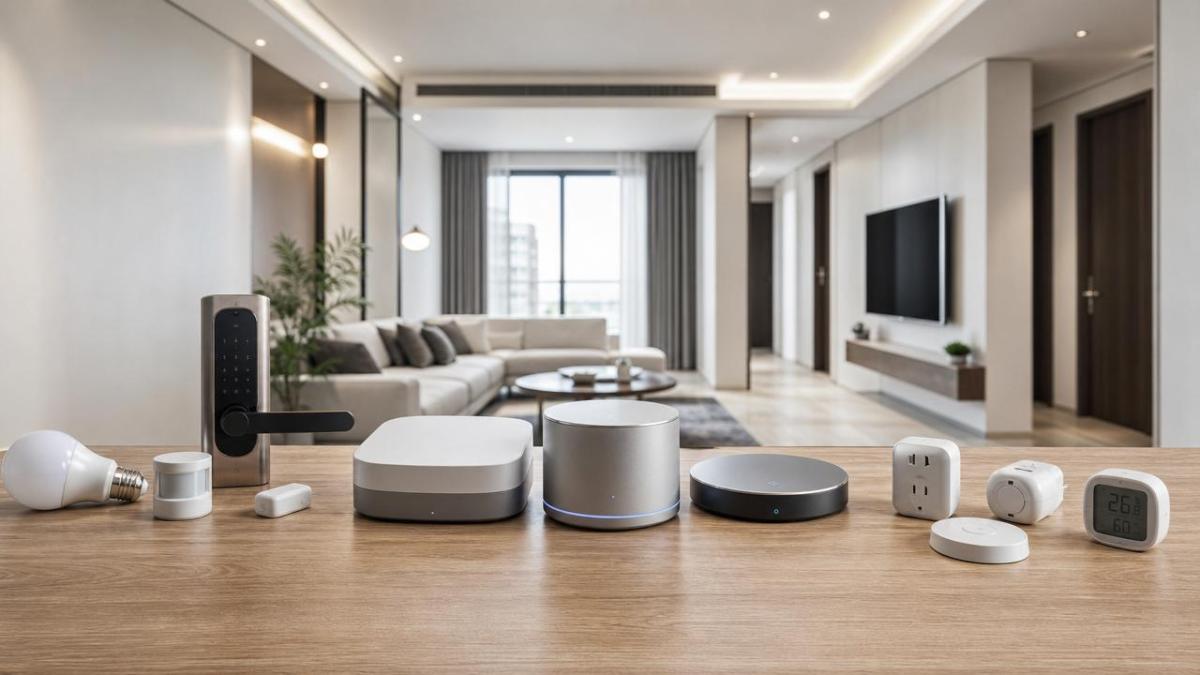
Choosing between smart home hubs sounds simple at first. Then you notice that every brand promises broad compatibility, fast automation, and future-ready Matter support.
That is where the confusion starts. Some hubs work well with a few devices, but struggle once your setup grows beyond lights and plugs.
Others offer excellent range, yet limit complex routines or push you toward one brand’s ecosystem. In practice, those limits shape daily convenience more than flashy marketing.
This smart home hubs comparison focuses on three buying factors that affect long-term value: Matter support, wireless range, and automation limits.
If you want a hub that stays useful for years, these are the details worth checking before you spend money.
Why Matter Support Changes the Buying Decision
Matter is now one of the biggest decision points in smart home hubs. It aims to reduce device lock-in and improve cross-brand compatibility.
That sounds great, but not all Matter support is equal. Some hubs act as full Matter controllers, while others only support a limited set of device types.
A few hubs also work as Thread border routers. That matters if you plan to add newer sensors, locks, or battery devices using Thread.
When comparing smart home hubs, ask a simple question: does the hub support Matter broadly today, or only promise better support later?
Firmware roadmaps are helpful, but current performance matters more. A feature listed as “coming soon” should not carry the same weight as a feature you can use now.
- Check whether the hub is a Matter controller.
- Confirm whether it includes Thread border router support.
- Review which Matter device categories are supported today.
- Look for local control options, not cloud-only handling.
This matters even more if you already own devices from different brands. A hub with strong Matter support can reduce app clutter and simplify future upgrades.
From a practical angle, this is similar to broader environment-control systems. Compatibility usually becomes more valuable as the network grows.
Range Is Not Just About Distance
Wireless range is often misunderstood. Buyers tend to focus on maximum distance, but stable coverage inside a real home depends on much more.
Wall materials, floor count, interference, and device placement all affect performance. A hub that works perfectly in a small apartment may feel unreliable in a larger house.
Smart home hubs can use Wi-Fi, Zigbee, Z-Wave, Thread, or combinations of them. Each protocol handles range and mesh behavior differently.
Zigbee and Z-Wave often improve when you add powered devices that act as repeaters. Thread can also build a strong mesh, but only if your device mix supports it well.
Wi-Fi-based hubs may look simple at first, yet they rely heavily on router quality and home network conditions. That can introduce delays during busy network hours.
How to Judge Range in Real Conditions
Do not rely on box claims alone. Look at your home layout and where low-power devices will actually sit.
- Single-floor homes usually need less mesh support.
- Thick walls can weaken 2.4 GHz signals badly.
- Detached garages often need repeaters or secondary nodes.
- Battery sensors need more reliable routing than plugs.
The better buying question is not “Which hub has the longest range?” It is “Which hub keeps my devices stable where I actually need them?”
That shift in thinking usually leads to better smart home hubs decisions and fewer returns.
Automation Limits Can Make or Break a Hub
Many people only discover automation limits after setup. By then, changing smart home hubs can become frustrating and expensive.
Some hubs support only simple “if this, then that” actions. Others allow layered triggers, time windows, presence rules, and local fail-safe behavior.
The difference becomes obvious when you try more advanced routines. For example, hallway lights may need motion, time of day, and occupancy status together.
A basic hub may force compromises. A stronger platform can handle those conditions without extra apps or cloud dependency.
Common Automation Limits to Watch
- Caps on the number of routines.
- Limited trigger combinations.
- Weak support for device states and conditions.
- Cloud-only execution during internet outages.
- Slow response under larger device loads.
If your plan is only basic scheduling, many hubs will be enough. If you want layered security, energy control, or room-by-room behavior, the shortlist becomes smaller.
This is also where local processing matters. Local automations usually respond faster and keep working during internet issues.
A Simple Comparison Framework for Smart Home Hubs
Instead of chasing the “best” hub overall, compare smart home hubs by the setup you expect in the next two years.
This kind of comparison keeps the purchase grounded. It also prevents overbuying features that sound powerful but never get used.
On the other hand, underbuying creates hidden costs later. Replacing a weak hub after adding dozens of devices is rarely cheap or simple.
Which Type of Hub Fits Different Homes
Different homes need different priorities. That is why smart home hubs should be matched to lifestyle, layout, and technical comfort level.
For apartments and small spaces
Choose a hub with easy setup, solid Matter support, and dependable app control. Extreme range matters less in compact layouts.
For medium homes with mixed devices
Prioritize compatibility, local automations, and protocols with strong mesh behavior. This is where many buyers get the best balance.
For large homes or demanding users
Look for smart home hubs that handle larger device counts, deeper rules, and stronger network resilience. Stability matters more than glossy design.
From recent market shifts, the clearer signal is that buyers increasingly want fewer apps and more dependable cross-brand control.
That trend makes Matter support more important, but it does not replace the need to check automation quality and real-world range.
Final Buying Advice
The best smart home hubs are not always the most expensive or the most talked about. The right choice depends on how your home actually runs.
Start with three filters. First, verify current Matter support. Second, judge range by your floor plan. Third, test whether automation limits match your future routines.
If two hubs seem close, choose the one with better local control and a stronger update history. Those factors usually age better than marketing extras.
A careful comparison now can save money, reduce setup headaches, and keep your smart home flexible as new devices arrive.
Make your shortlist, map your rooms, count your planned devices, and buy the hub that fits real use, not just the product page.
Get weekly intelligence in your inbox.
No noise. No sponsored content. Pure intelligence.
 Jun 22, 2026Energy Intelligence Reports in 2026: Which Signals Matter for Planning?Energy Intelligence Reports in 2026 reveal the signals that shape cost, resilience, compliance, and operational stability—helping planners turn volatility into smarter decisions.
 Jun 22, 2026Precision Engineering Services Europe: Key Checks Before Supplier ApprovalPrecision engineering services Europe: discover the 7 essential checks before approving a supplier, from tolerance control and traceability to quality systems and delivery reliability.
 Jun 22, 2026Commercial LED Lighting Upgrades: What Cuts Energy Bills Fastest?Commercial LED lighting upgrades can cut energy bills fast. Discover which retrofits, controls, and priority zones deliver the quickest ROI for warehouses, offices, and industrial facilities.
 Jun 22, 2026Adiabatic Cooling Systems vs Conventional Cooling: Cost and Water Trade-OffsAdiabatic cooling systems vs conventional cooling: compare energy savings, water trade-offs, ESG impact, and lifecycle cost to choose the best-fit solution.
 Jun 22, 2026How to Compare PCB Assembly Services for Low-Defect Productionpcb assembly services comparison guide for low-defect production. Learn how to assess process control, inspection, traceability, and quality systems to choose a reliable supplier.
 Jun 22, 2026MFDS Tightens ZLD TOC Validation for ImportsMFDS tightens ZLD TOC validation for imports from Sept. 1, 2026. Learn how KOLAS lab reports, spectra, and calibration records will affect certification, lead times, and Korea market access.
 Jun 22, 2026ASEAN Customs Makes EPCIS Uploads MandatoryASEAN Customs makes EPCIS uploads mandatory from July 15, 2026. Learn how CCPCS impacts cleanroom equipment, FFUs, AMC filtration units, and shipment compliance.
 Jun 22, 2026Japan Mandates JIS Class A Label for 18.2 MΩ·cm UPW SystemsJapan mandates JIS Class A labeling for 18.2 MΩ·cm UPW systems from July 2026. See who is affected, key compliance risks, and how importers and chip project bidders should prepare.
 Jun 22, 2026FDA Mandates API Compatibility for BSL-3/4 Lab EquipmentFDA mandates API compatibility for BSL-3/4 lab equipment starting July 1, 2026. Learn how RESTful API and MQTT rules affect 510(k), exports, compliance, and project delivery.
 Jun 22, 2026EN 14644-1:2026 Takes Effect for EU Cleanroom CertificationEN 14644-1:2026 now reshapes EU cleanroom certification for ISO Class 1–9 facilities. Learn how re-testing, report updates, and CE conformity documentation could impact exporters and compliance timelines.
 Jun 21, 2026How to Choose Linear Motion Systems for Precision and Service LifeLinear motion systems selection starts with process needs. Learn how to compare accuracy, contamination control, thermal behavior, and service life for smarter, longer-lasting performance.
 Jun 21, 2026Advanced Manufacturing Trends Reshaping Cost, Quality, and Lead TimeAdvanced Manufacturing is reshaping cost, quality, and lead time through cleaner environments, real-time monitoring, and smarter control. See the trends driving resilient, high-performance operations.
 Jun 21, 2026Market Forecast Signals to Track Before Setting Next Year’s BudgetMarket Forecast insights to track before setting next year’s budget—spot demand, energy, compliance, and capital signals early to avoid costly inefficiencies and make smarter investment decisions.
 Jun 21, 2026Healthcare Trends to Watch in 2026: AI, Staffing, and Patient AccessHealthcare Trends in 2026: explore how AI, staffing shortages, and patient access are reshaping healthcare operations, compliance, and resilient facility strategy.
 Jun 21, 2026Solar Panel Cost Breakdown: What Changes the Price in 2026Solar panel cost in 2026 depends on more than panel pricing. Discover what drives total installed cost, storage value, labor, design, and hidden risks before you approve a solar project.
 Jun 21, 2026EU Updates EN 14644-1:2026 for Cleanroom TestingEN 14644-1:2026 reshapes cleanroom testing, CE documentation, and EU compliance from 2027. Learn what exporters, testing providers, and procurement teams must review now.
 Jun 21, 2026MFDS Tightens ZLD Certification on TOC ValidationMFDS tightens ZLD certification rules by requiring KOLAS-authorized GLP TOC validation reports from Sept. 1, 2026. Learn how this impacts wastewater reuse equipment exports and compliance planning.
 Jun 21, 2026ASEAN Customs Makes EPCIS Data Mandatory for Cleanroom ExportsASEAN Customs makes EPCIS data mandatory for cleanroom exports from Aug 15, 2026. Learn how GS1 EPCIS v2.3 rules may delay clearance and what exporters must prepare now.
 Jun 21, 2026Japan Starts JIS Label Rule for UPW ImportsJapan starts JIS label rule for UPW imports on Oct. 1, 2026. Learn the new compliance scope, JIS certification, customs risks, and how exporters can avoid shipment delays.
 Jun 21, 2026FDA Sets July 1 Rule for BSL-3/4 Digital Twin InterfacesFDA sets a July 1 rule for BSL-3/4 digital twin interfaces, reshaping compliance, certification, and delivery timelines. See what exporters, buyers, and lab equipment teams must do now.
 Jun 20, 2026The Impact of CBAM on Chillers: Cost Risks and Sourcing ChoicesImpact of CBAM on chillers: learn how carbon rules can raise landed costs, affect supplier choice, and reshape sourcing strategy. Compare bids smarter and reduce compliance risk.
 Jun 20, 2026RGB LED Strips: Common Failures and How to Prevent ThemRGB LED strips often fail from voltage drop, heat, poor connections, and moisture. Learn practical prevention tips to improve reliability and reduce maintenance.
 Jun 20, 2026HVAC Digital Twin: What to Check Before DeploymentHVAC digital twin deployment starts with the right checks. Learn how to assess model fidelity, data quality, control logic, compliance, and cybersecurity before approval.
 Jun 20, 2026How Photovoltaic Modules for Agricultural Use Perform in Harsh Field ConditionsPhotovoltaic modules for agricultural use must endure dust, heat, moisture, and impact. Learn what drives field reliability and how to choose modules for stable farm energy output.
 Jun 20, 2026Energy Efficiency Benchmarks That Matter in 2026Energy efficiency benchmarks for 2026 focus on process stability, thermal precision, airflow, water performance, and compliance—see which metrics truly improve uptime and ROI.
 Jun 20, 2026SAP-Air Pilot Makes EPCIS Data Mandatory for ExportsSAP-Air pilot makes EPCIS data mandatory for exports from Sept. 1, 2026. Learn how GS1 EPCIS v2.3 air-quality and traceability rules may impact customs clearance.
 Jun 20, 2026MFDS Tightens ZLD Certification on TOC TestingMFDS tightens ZLD certification on TOC testing in South Korea, requiring KOLAS-authorized GLP reports. Learn the compliance impact, higher costs, and what exporters must do now.